[Last updated in October 2026]
Data analysis has always been at the center of data-related operations, helping companies make data-backed strategic decisions. But data volumes keep growing, and traditional, manual methods struggle to keep pace.
Manual processing is slow, error-prone, and hard to scale. AI-powered tools address these gaps. They clean data faster, surface patterns humans would miss, and, as of 2026, let anyone ask questions about a dataset in plain English and get charts, code, and answers in seconds.
The biggest shift since this guide was first published is the rise of generative and agentic AI. Assistants such as ChatGPT, Claude, and Gemini now write and run analysis code on your data, and established BI platforms such as Power BI and Tableau have built AI agents directly into their products. This updated guide reflects that shift.
It covers what AI tools for data analysis are, the key techniques behind them, their benefits, the top 12 tools to consider in 2026, who should use them, what to watch out for, and where the field is heading. Let's start with what we mean by "AI tools" for data analytics.
What are AI Tools for Data Analytics?
AI tools for data analysis are software, platforms, or libraries that use AI to speed up and strengthen each stage of the analytics process. They automate data collection from multiple sources, cleaning and organizing, exploration, predictive modeling, segmentation, and reporting, using machine learning, deep learning, and large language models (LLMs). See our explainer on algorithms for the basics.
Modern AI analytics tools also automate visualization. Many now let you type a question such as "Which region's sales fell fastest last quarter?" and return a chart, the underlying query, and a written summary.
To understand these tools better, let's look at the techniques that power them.
Learn and Upskill Today with AnalytixLabs
Learning and mastering AI concepts can help your career grow immensely. AnalytixLabs offers an industry-ready Advanced Agentic AI Course and a Full Stack Applied AI course, with dual certification from IIT-G.
Explore our signature data science courses in collaboration with Electronics & ICT Academy, IIT Guwahati, and join us for experiential learning to transform your career.
Broaden your learning scope with our elaborate machine learning and deep learning courses. Explore our ongoing courses here. Have a question? Connect with us here.
Key AI Techniques Used in Data Analytics
Six AI techniques do most of the work inside today's data analytics tools.
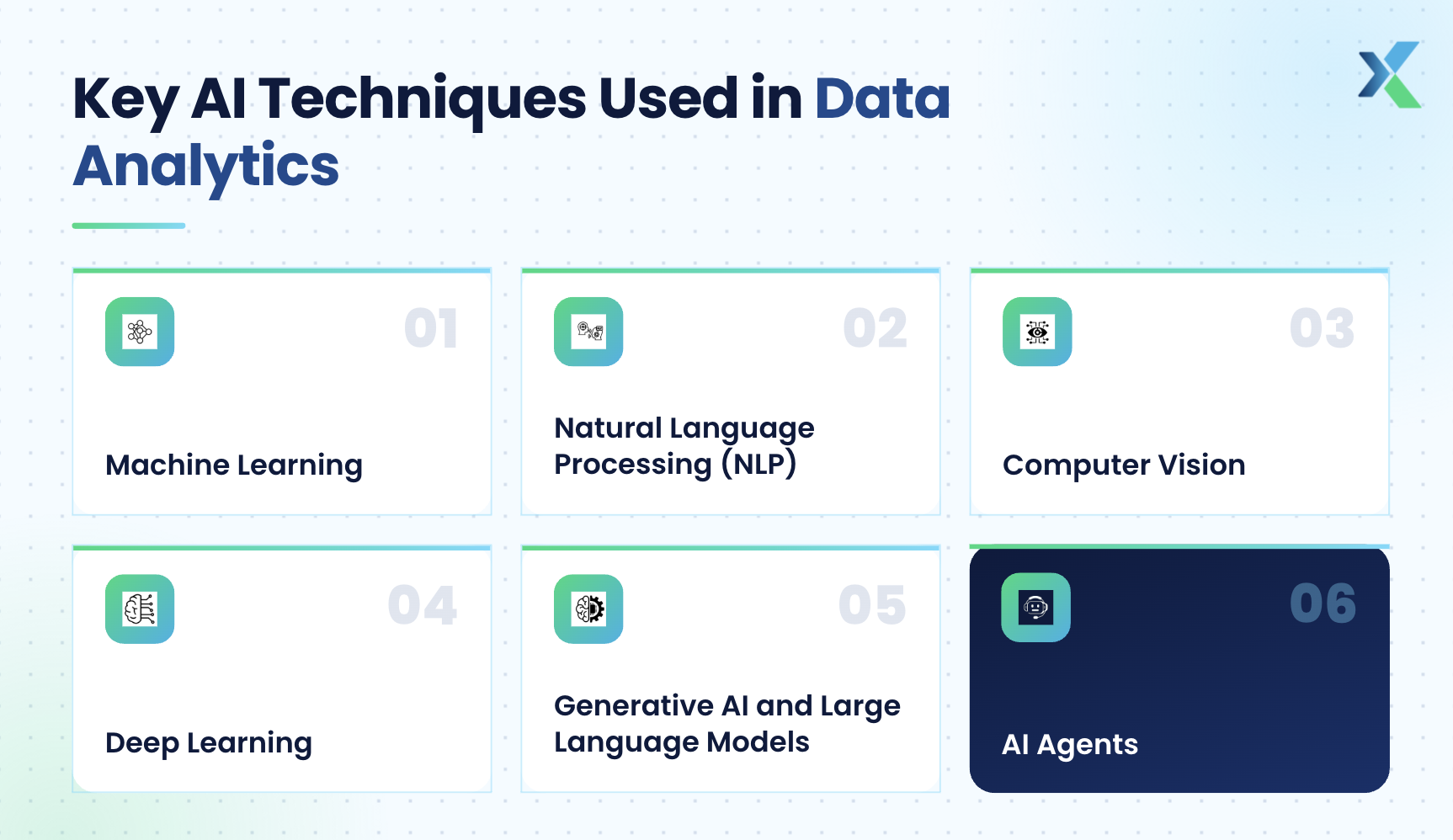
- Machine Learning
Machine learning (ML) automates pattern detection and prediction. It lets AI data analytics tools handle large datasets, improve forecast accuracy, and support real-time processing. Because ML models keep learning from new data, they help businesses refine decisions over time.
Also read: Why Should You Learn Machine Learning
- Natural Language Processing (NLP)
NLP lets AI tools analyze unstructured text such as reviews, tickets, and survey responses. It powers topic detection, trend spotting, and sentiment analysis. NLP also lets you query a dashboard in plain English instead of writing SQL.
- Computer Vision
Computer vision interprets images and video. In analytics, it enables image recognition, object detection and visual inspection, with wide use in retail, manufacturing, healthcare and security.
- Deep Learning
Deep learning uses multi-layer neural networks to find patterns in very large datasets with high precision. It underpins advanced forecasting, anomaly detection and the language models used in modern AI assistants.
Also read: How to Build Custom Deep Learning Models in Python?
- Generative AI and Large Language Models (New for 2026)
LLMs such as GPT, Claude, and Gemini can read a spreadsheet, write Python or SQL to analyze it, run that code, and explain the results. This has made code-free analysis practical for non-programmers and dramatically sped up work for analysts who do code.
- AI Agents (New for 2026)
AI agents go a step further. Given a goal such as "find why churn rose in Q2", an agent plans the steps, queries the data, builds charts, and drafts a summary with little human input. Most major analytics platforms now ship some form of agent. See our guide on what is agentic AI.
Together, these techniques let businesses uncover hidden insights and make faster, better-informed decisions. Let's look at how AI and data analytics complement each other.
Benefits of Using AI Tools for Data Analytics
Combining AI with data analytics delivers eight major benefits.
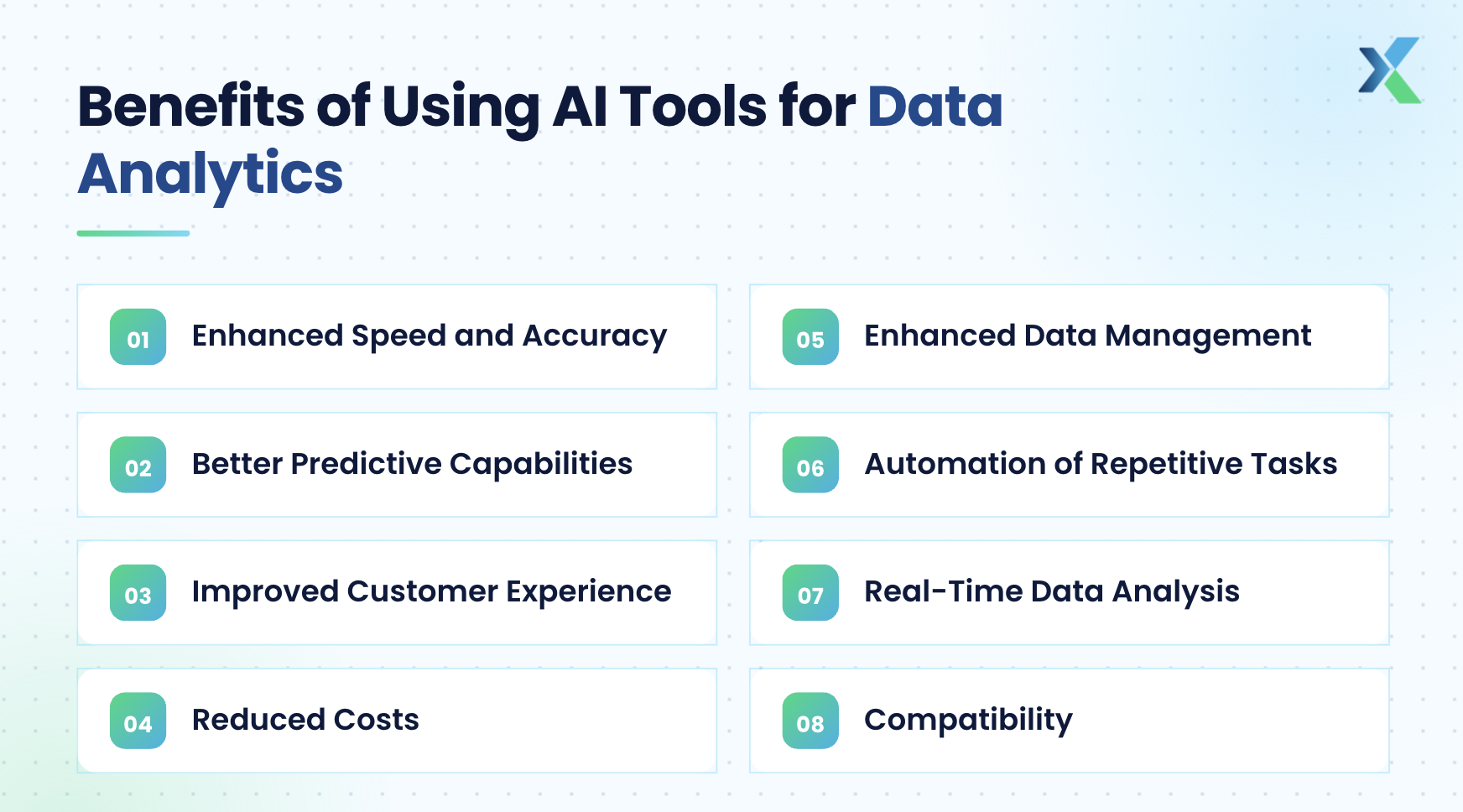
1) Enhanced Speed and Accuracy
AI tools process large datasets quickly and precisely, cutting tasks that took days down to minutes or hours. Faster, more reliable analysis helps businesses act sooner and stay competitive.
2) Better Predictive Capabilities
AI strengthens predictive analytics by finding patterns and trends without slow, manual modeling. Businesses use these forecasts to anticipate demand, manage risk and make proactive decisions.
3) Improved Customer Experience
By analyzing customer data from many sources, AI analytics tools reveal behaviors and preferences. Companies use these insights to tailor products and services, often with AI text analysis to understand feedback at scale.
4) Reduced Costs
Automating analytical tasks reduces manual effort, rework, and errors. That lowers operating costs and frees skilled people for higher-value work.
5) Enhanced Data Management
AI automates how data is organized, tagged, stored, and retrieved. Analysts can find the right data faster, and businesses get more value from the data they already hold.
6) Automation of Repetitive Tasks
AI handles repetitive work such as cleaning, joining tables, and generating recurring reports. Analysts can then focus on interpretation and strategy. For example, AI can automatically generate and send weekly reports to each department.
7) Real-Time Data Analysis
AI tools can analyze streaming data as it arrives. Organizations get immediate insights and can respond quickly in fast-moving industries.
8) Compatibility
AI tools can work with data from many sources and formats, from spreadsheets and PDFs to cloud warehouses. This makes it easier to build a complete view of the business.
If these benefits sound useful, it's time to explore the most popular AI-powered data analysis tools in 2026.
Popular AI Tools for Data Analytics
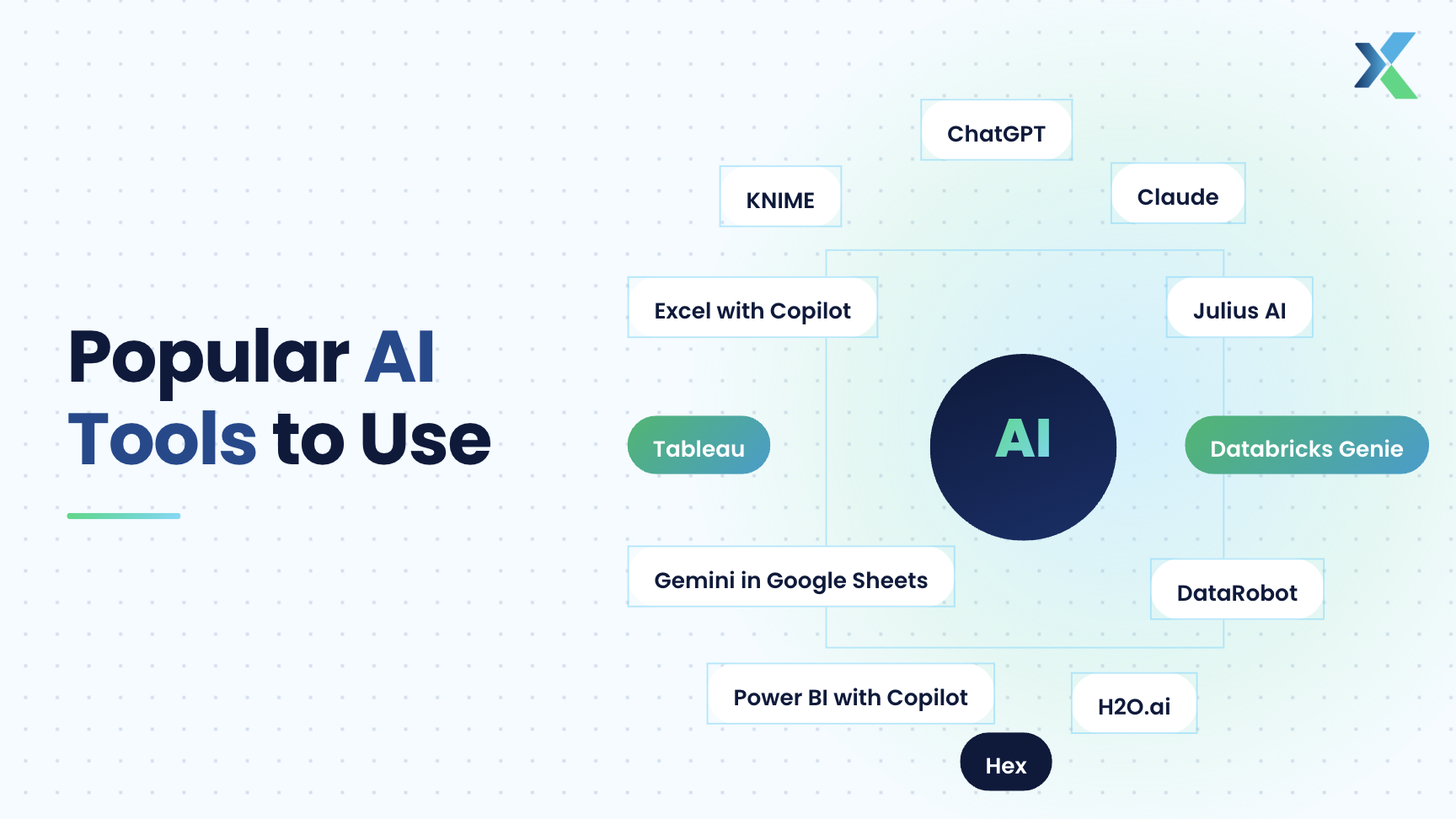
The 12 tools below are the ones analysts and practitioners recommend most in 2026, grouped into four stages of the analytics workflow: data preparation, exploration, predictive analytics, and visualization.
Most tools now span more than one stage, but each still has a clear forte. Here is a quick overview before the details.
# | Tool | Best for | Free option | Paid from (approx.) |
|---|---|---|---|---|
1 | KNIME | No-code data prep and workflows | Yes, open source | Hub plans from about €19/month |
2 | Microsoft Excel with Copilot | Spreadsheet cleaning and analysis | No (Copilot add-on) | Microsoft 365 Copilot license, about $21/user/month |
3 | ChatGPT | Quick analysis of uploaded files | Yes, limited | Plus, about $20/month |
4 | Claude | Reasoning, SQL/Python, Excel add-in | Yes, limited | Pro, about $20/month |
5 | Julius AI | Chat-based analysis for non-coders | Yes, limited | About $35/month |
6 | Gemini in Google Sheets | Analysis inside Google Workspace | No | Included in eligible Workspace and Google AI plans |
7 | Hex | AI notebooks for SQL and Python | Yes, Community plan | About $36/editor/month |
8 | DataRobot | Enterprise AutoML and governance | No | Custom quote |
9 | H2O.ai | Open-source and enterprise AutoML | Yes, H2O-3 | Custom quote for enterprise |
10 | Databricks Genie | Natural-language questions on governed data | Free monthly allowance (Genie Code) | Usage-based |
11 | Microsoft Power BI with Copilot | Business dashboards and reporting | Power BI Desktop is free | Fabric capacity (F2+) required for Copilot |
12 | Tableau | Visual analytics and KPI monitoring | Tableau Public | Tableau Next from $40/user/month |
Prices are indicative as of October 2026 and change often; check each vendor's pricing page before buying.
1) Data Preparation and Cleaning
The reliability of any insight depends on the quality of the data behind it. These two tools use AI to speed up data cleaning and preparation.
#1. KNIME
KNIME is a free, open-source platform for building data workflows visually. Its built-in AI assistant, K-AI, can suggest workflows, write Python scripts, and create visualizations from a plain-English prompt.
Key Features and Functionalities: Drag-and-drop workflow builder, 300+ connectors, Python/R integration, ETL, machine learning, and the K-AI assistant. The July 2026 release (5.12) extended K-AI to help build data apps.
Use Cases and Target Audience: Analysts and data scientists who want repeatable, auditable data pipelines without heavy coding.
Pricing Structure and Deployment Options: The desktop Analytics Platform is free. Paid KNIME Hub plans add collaboration and scheduling.
Strengths and Weaknesses: Powerful, flexible, and free, but the visual interface takes time to learn, and team features need a paid plan.
#2. Microsoft Excel with Copilot
Copilot in Excel turns the world's most-used analytics tool into an AI assistant. Agent Mode, rolled out in early 2026, can plan and carry out multi-step tasks such as cleaning raw data, building PivotTables, and writing formulas.
Key Features and Functionalities: Agent Mode for multi-step edits, the =COPILOT() function, formula suggestions, and Python-powered analysis that runs behind the scenes.
Use Cases and Target Audience: Business users, finance teams, and analysts whose data already lives in Excel.
Pricing Structure and Deployment Options: Requires a Microsoft 365 Copilot license on top of a Microsoft 365 subscription.
Strengths and Weaknesses: No new tool to learn and works on familiar files, but license costs add up across a team, and large datasets still belong in a database.
2) Automated Insights and Data Exploration
Once data is clean, the next step is exploring it for patterns. This is where generative AI has changed the most since 2024. You can now upload a file or connect a source, ask a question, and get code-backed answers.
#3. ChatGPT
ChatGPT is the most common starting point for AI data analysis. When you upload a CSV or Excel file, it writes and runs Python code in a sandbox to clean, analyze, and chart the data.
Key Features and Functionalities: File uploads, Python-based calculations and statistics, static and interactive charts, and downloadable cleaned datasets.
Use Cases and Target Audience: Anyone who needs a fast first pass on a file, from students to marketers to analysts.
Pricing Structure and Deployment Options: Free tier with limits; paid plans start with Plus. Business and Enterprise plans add admin and data controls.
Strengths and Weaknesses: Versatile and easy to use, but it can misread messy columns. Always ask it to show its code and assumptions before trusting a number.
#4. Claude
Claude by Anthropic is popular with analysts for reasoning through an analysis plan, writing SQL and Python, and checking methodology. It also runs code on uploaded files to produce charts and summaries.
Key Features and Functionalities: Code execution on uploaded files, multi-file analysis, long context for large documents, and Claude add-ins for Excel, Word, and PowerPoint, which reached general availability in May 2026.
Use Cases and Target Audience: Analysts and data scientists who want a thinking partner for code, logic, and narrative write-ups.
Pricing Structure and Deployment Options: Free tier with limits; Pro plan for individuals, plus Team and Enterprise plans.
Strengths and Weaknesses: Strong at explaining assumptions and reviewing code, but like any AI assistant, you should validate results against the source data.
#5. Julius AI
Julius AI is a dedicated AI data analyst. You upload a spreadsheet or connect a database, ask questions in plain English, and get charts and answers.
Key Features and Functionalities: Natural-language analysis, chart generation, notebooks, and live connectors to databases such as Snowflake, BigQuery, and Postgres on higher plans.
Use Cases and Target Audience: Students, founders, marketers, and non-technical teams.
Pricing Structure and Deployment Options: Limited free tier; paid individual and team plans, with 50% off for students and educators.
Strengths and Weaknesses: Very approachable, but intermediate steps can be less visible, so it suits exploration more than governed reporting.
#6. Gemini in Google Sheets
Gemini in Google Sheets replaces plain Google Sheets in this list. Gemini can find trends, outliers, and correlations, write formulas, and create charts, often by running Python behind the scenes.
Key Features and Functionalities: Gemini side panel, the =AI() function for in-cell tasks such as categorizing or sentiment tagging, multi-table analysis, and, since September 2026, analysis on Android.
Use Cases and Target Audience: Individuals and teams working in Google Workspace, especially marketers and small businesses.
Pricing Structure and Deployment Options: Included with eligible Workspace Business, Enterprise, and Education plans, and with Google AI Pro and Ultra.
Strengths and Weaknesses: Highly accessible and collaborative, but Sheets still has size limits and works best with clean, consistently formatted data.
#7. Hex
Hex is an AI-native analytics workspace that combines SQL and Python notebooks, a Notebook Agent, conversational "Threads" for business users, and shareable data apps.
Key Features and Functionalities: Notebook Agent that writes and runs analysis, natural-language Q&A grounded in a semantic layer, interactive data apps, and embedded analytics.
Use Cases and Target Audience: Data teams who want repeatable, inspectable analysis that business users can also query.
Pricing Structure and Deployment Options: Free Community plan; paid Professional and Team plans priced per editor; custom Enterprise.
Strengths and Weaknesses: Excellent for transparency and collaboration, but it rewards SQL and Python skills more than casual chat tools do.
3) Predictive Analytics and Forecasting
At a more advanced level, predictive analytics lets analysts forecast outcomes such as churn, demand, or risk. These tools automate much of the model-building work.
#8. DataRobot
DataRobot pioneered automated machine learning and now positions itself as an enterprise platform for predictive, generative, and agentic AI.
Key Features and Functionalities: AutoML with model leaderboards, automated time series, MLOps, governance and observability, and the Agent Workforce Platform for AI agents.
Use Cases and Target Audience: Enterprises, especially in regulated industries, that need governed predictive models at scale.
Pricing Structure and Deployment Options: Custom enterprise pricing; deploy on cloud or on-premises.
Strengths and Weaknesses: Highly automated, with strong governance, but too costly and heavy for small teams or simple analysis.
#9. H2O.ai
H2O.ai combines open-source machine learning with enterprise AutoML and generative AI products.
Key Features and Functionalities: Open-source H2O-3 (gradient boosting, deep learning, GLM, AutoML), Driverless AI for automated feature engineering with explainability, and h2oGPTe for generative and agentic AI. In May 2026, it launched tabH2O, a foundation model that predicts from tabular data without training.
Use Cases and Target Audience: Data scientists who want open-source flexibility, and enterprises needing explainable AutoML.
Pricing Structure and Deployment Options: H2O-3 is free under Apache 2.0; enterprise products are quoted on request.
Strengths and Weaknesses: High performance and a strong open-source base, but it needs technical expertise to use well.
#10. Databricks Genie
Databricks Genie is the AI layer of the Databricks platform. Business users ask questions in plain English, while data teams use Genie Code to write and debug code in notebooks.
Key Features and Functionalities: Genie One for natural-language questions and dashboards, Genie Agents configured with trusted data and business rules, and Genie Code for developers. All answers are governed through Unity Catalog.
Use Cases and Target Audience: Organizations already running their data and ML on Databricks.
Pricing Structure and Deployment Options: Usage-based; since July 2026, Genie Code is billed pay-as-you-go with a free monthly allowance per user.
Strengths and Weaknesses: Answers are grounded in governed enterprise data, but it only makes sense if your data is on Databricks.
4) Visualization and Communication
Once the analysis is done, you must communicate it clearly. Both leading BI platforms now include AI agents that build visuals and explain metrics.
#11. Microsoft Power BI with Copilot
Power BI remains one of the most widely used BI platforms. Copilot in Power BI generates report pages, writes DAX, summarizes reports, and answers questions in natural language.
Key Features and Functionalities: Copilot report creation and summaries, DAX generation, natural-language Q&A, tight integration with Excel, Microsoft Fabric, and Microsoft 365.
Use Cases and Target Audience: Business analysts and organizations already in the Microsoft ecosystem.
Pricing Structure and Deployment Options: Power BI Desktop is free, and Pro is needed to publish and share. Copilot needs a paid Fabric capacity (F2 or higher), or Premium capacity (P1 or higher); a Pro license alone is not enough.
Strengths and Weaknesses: Excellent Microsoft integration, but Copilot works well only on a clean, well-documented semantic model.
#12. Tableau
Tableau, part of Salesforce, is a long-standing leader in visual analytics. Its AI now centers on Tableau Pulse, Tableau Agent, and Tableau Next. Ask Data, featured in the earlier version of this guide, has been replaced by these newer tools.
Key Features and Functionalities: Tableau Pulse for automated KPI insights and digests, Tableau Agent for conversational analysis, and Tableau Next, an agentic analytics platform built on a semantic layer. Tableau MCP servers reached general availability in May 2026.
Use Cases and Target Audience: Data analysts and business users who need rich, interactive dashboards, especially in Salesforce-centric companies.
Pricing Structure and Deployment Options: Standard Pulse features come with Tableau Cloud; Tableau Next starts at $40 per user per month, billed annually.
Strengths and Weaknesses: Best-in-class visualization, but it can be expensive at scale and the newest AI features depend on the Salesforce data stack.
These 12 tools cover the full analytics workflow in 2026. However, they aren't for everyone, and some roles benefit more than others.
Who should use AI Tools for Data Analytics?
Three groups get the most from AI data analytics tools: data analysts, business users, and data scientists.
Data Analysts
AI removes much of the repetitive work in an analyst's day: cleaning, joining, charting, and drafting summaries. Analysts can then spend more time on interpretation and strategy. ChatGPT, Claude and Hex help with fast exploration and code, while KNIME and Excel with Copilot streamline data preparation.
Business Users
AI has made data analysis far more accessible to non-technical users. Tools like Power BI with Copilot, Gemini in Google Sheets, and Julius AI let business users ask questions in plain English and get charts and answers without writing code. The key is to rely on well-defined metrics and check surprising results with the data team.
Data Scientists
Data scientists use AI tools to build, deploy, and monitor models faster. DataRobot, H2O.ai and Databricks provide AutoML, MLOps and governance, while AI coding assistants speed up feature engineering and experimentation.
If you belong to one of these groups, you will likely use AI-powered analytics tools. Before adopting one, consider the following factors.
Considerations for AI Tools for Data Analytics
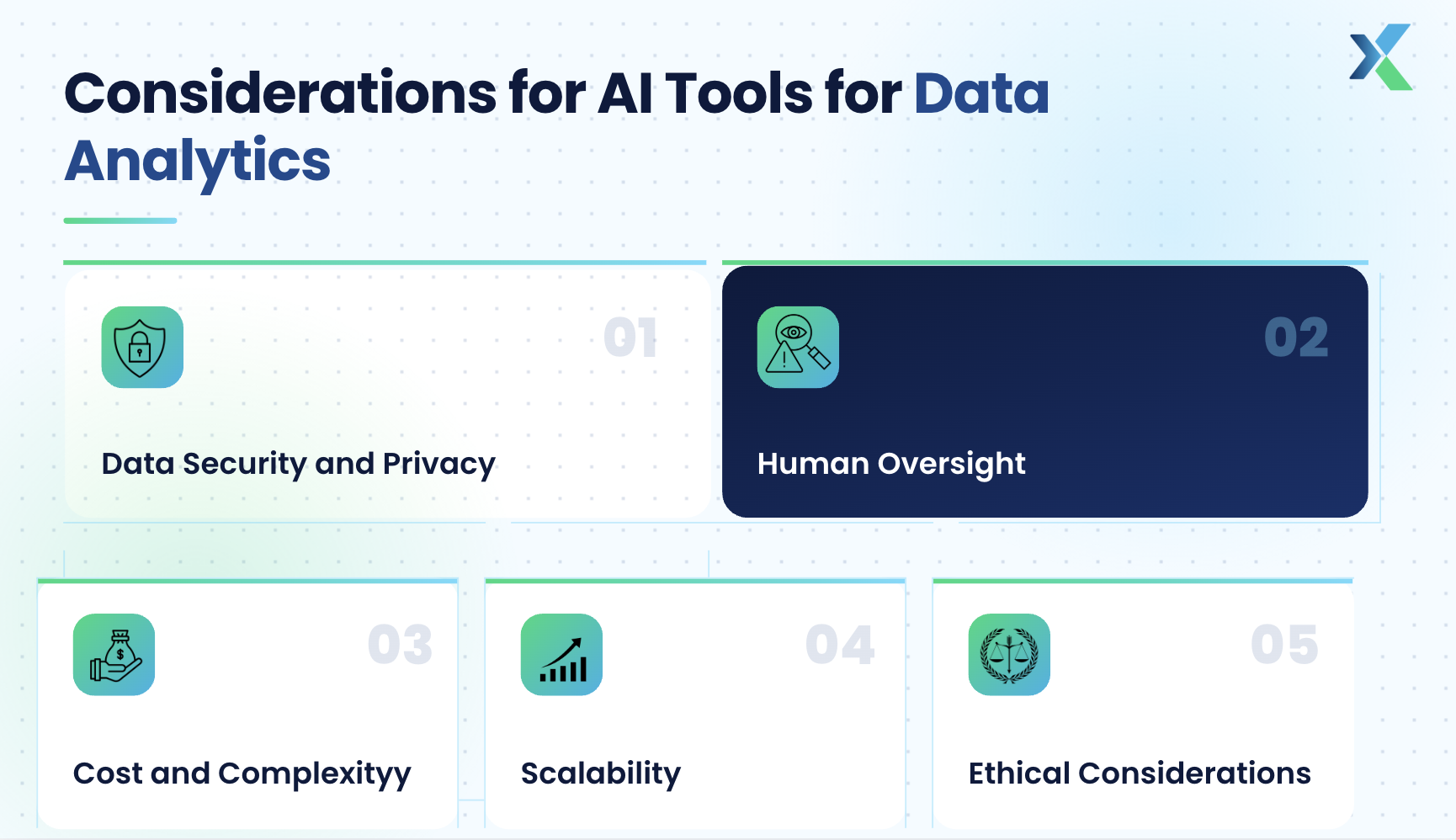
Six factors decide whether an AI analytics tool will work safely and effectively for your organization.
- Data Quality
AI output is only as good as its input. Errors, missing fields, inconsistent formats and outliers lead to misleading results. Clean and document your data first, and ask the tool to show how it handled blanks, duplicates, and outliers.
Also read: What Is Data Quality Management (DQM)?
- Data Security and Privacy
Security remains a top concern. The 2023 incident in which Samsung employees pasted confidential code into ChatGPT is still a common cautionary example. Check whether a tool trains on your data, where it stores data, and whether it offers enterprise controls such as zero data retention. In India, also review obligations under the Digital Personal Data Protection (DPDP) Act before uploading personal data.
- Human Oversight
AI tools can produce confident but wrong answers. Analysts must define metrics, review generated code and SQL, and confirm results before using them to inform decisions. This matters even more with AI agents that take several steps on their own.
- Cost and Complexity
Look at total cost of ownership: licenses, compute or capacity charges, AI usage credits, and training. Some AI features need higher-tier plans, as with Copilot in Power BI. Match the tool's complexity to your team's skills.
- Scalability
The tool should handle growing data volumes and users without slowing down. Spreadsheet-based AI is ideal for small datasets, while warehouse-native tools such as Databricks and Hex scale to enterprise data.
- Ethical Considerations
Choose tools that offer transparent, explainable results and help detect bias. This is especially important for predictive models used in lending, hiring, or healthcare decisions.
Weighing these factors helps organizations select tools that fit their data, security, ethical, and scalability needs.
Future of AI Tools in Data Analytics
AI analytics is moving from assistants that answer questions to agents that complete whole analyses. Here are the trends shaping the field.
- Rise of Agentic Analytics
AI agents can now plan an analysis, query data, build charts, and draft findings with minimal input. Microsoft, Salesforce (Tableau), Databricks, and Hex all launched agentic features in 2025–26. Expect analysts to spend more time directing and reviewing agents than doing each step by hand.
- Continuous Evolution of AI Techniques
Automation of cleaning, transformation, and integration continues to improve. New approaches such as foundation models for tabular data aim to deliver predictions without training a model for every problem.
- Integration with Business Intelligence (BI)
AI is becoming a native layer of every BI platform rather than an add-on. Semantic layers, which define business metrics once for both people and AI, are now central to getting accurate AI answers. Explainable AI (XAI) will keep gaining importance so users can trust AI-driven recommendations.
Also read: Business Intelligence vs. Business Analytics
- Democratization of AI for Everyone
Natural-language interfaces in Excel, Sheets, and BI tools let employees at every level work with data. This broadens data culture, but it also increases the need for basic data literacy so people can evaluate AI outputs.
- Ethical Considerations and Challenges
As AI becomes central to analytics, regulation and scrutiny will grow. Organizations will need clear policies on privacy, bias, and accountability, and clear communication between human and AI decision-makers.
- Scalability and Flexibility
Open standards such as the Model Context Protocol (MCP) are making it easier to connect AI assistants to many data sources. Future tools will plug into existing systems more easily and scale with data volumes and complexity.
Conclusion
AI data analytics tools have moved from helpful add-ons to the core of how analysis gets done. In 2026, assistants like ChatGPT, Claude, and Gemini analyze files in minutes, and platforms like Power BI, Tableau, Hex, and Databricks embed AI agents directly into governed data.
The right choice depends on your workflow. Use general AI assistants for fast exploration, the AI built into your existing BI or spreadsheet stack for everyday reporting, and AutoML platforms when you need production-grade predictions.
Whatever you pick, data quality, privacy, human oversight and explainability remain essential. The analysts who thrive will combine strong fundamentals in SQL, statistics, and business context with the ability to direct and verify AI.
FAQs
What are the limitations of AI tools?
AI tools follow the GIGO principle (Garbage In, Garbage Out): poor, poorly formatted, or biased data leads to poor results. They can also misinterpret ambiguous columns or produce confident but wrong answers, so outputs should be checked against the source data.
Data security and privacy are another concern, as cloud-based tools process your data on external servers. Finally, human oversight is still needed to define metrics, review generated code, and interpret the results.
How do I know which tool is right for me?
Choosing the right AI tool depends on your needs and context. Consider these factors:
Data Quality and Type: Make sure the tool handles your data formats and volumes.
Integration Capabilities: Prefer tools that fit your existing stack, such as Microsoft 365, Google Workspace, Salesforce, or Databricks.
Ease of Use: Pick a tool that matches your team's technical skills.
Transparency: Choose tools that show their code, queries, or assumptions so results can be verified.
Cost and Scalability: Check license, capacity, and AI usage costs, and whether the tool can grow with you.
Support and Community: Strong documentation and active communities make adoption easier.
What are the best free AI tools for data analytics?
KNIME Analytics Platform and H2O-3 are fully free and open source. ChatGPT, Claude, and Julius AI offer limited free tiers; Hex has a free Community plan, and Power BI Desktop, Tableau Public, and Looker Studio are free for building visualizations.
Can AI replace data analysts?
No. AI automates repetitive tasks, but analysts are still needed to frame the right questions, understand business context, validate results, and communicate insights. In practice, AI makes skilled analysts more productive and raises the bar for analytical skills.
Which AI tool should a beginner data analyst learn first?
Start with a general assistant such as ChatGPT or Claude alongside Excel or Google Sheets, since these build on skills you already use. Then learn the AI features of a major BI tool such as Power BI or Tableau.
Related Reading Resources